
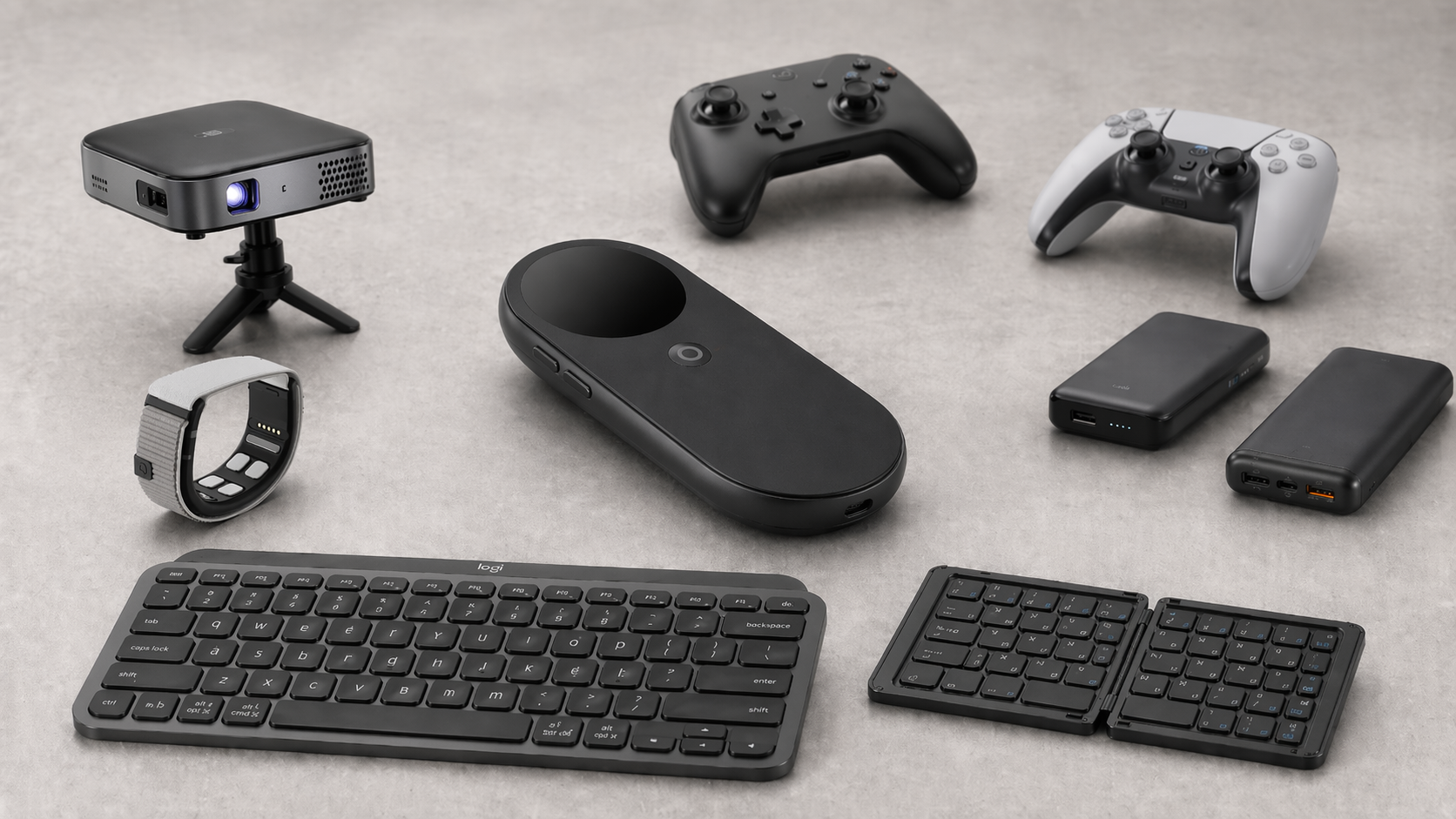
Supercharging The INAIR Pod With Third-Party Accessories
The INAIR Pod is already a compelling piece of hardware on its own, but like most things in the XR space, its real potential starts to show when you expand beyond the default experience. After spending more time with the device, I started looking at what kinds of third-party accessories could take it further, not just in terms of functionality, but also in how it actually feels to use day to day.
What I found is that the INAIR Pod isn’t locked into a single use case. With the right accessories, it can shift between a gaming device, a productivity tool, and something that starts to feel a lot closer to true spatial computing. Some of these additions are straightforward, while others add entirely new layers to the experience.
Expanding Into Gaming
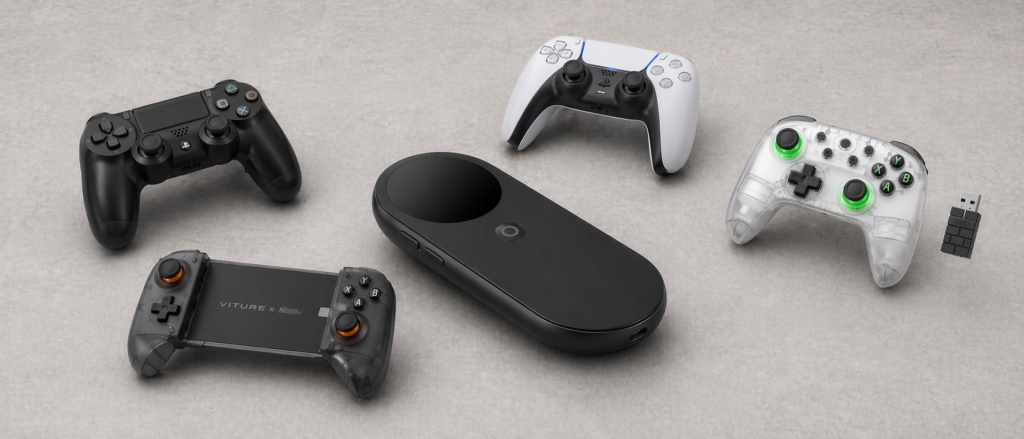
One of the easiest ways to enhance the INAIR Pod is by pairing it with a proper controller. Out of the box, it’s already capable of handling this, and in practice, it works exactly how you’d hope.
I’ve tested it with both PlayStation 4 and PlayStation 5 controllers, and the experience is seamless. Pairing is quick, input latency is where it needs to be, and once you’re connected, it just works. If you’re already invested in that ecosystem, there’s no real reason to look elsewhere. That said, I’ve also spent time using 8BitDo controllers, and these have quickly become my go-to recommendation. They’re compact, well-built, and they pair reliably without any extra fuss. More importantly, they feel like they belong in this kind of setup. There’s something about the combination of portability and quality that lines up perfectly with what the INAIR Pod is trying to be.
Once you have a controller connected, the device starts to feel less like a companion piece and more like a standalone gaming solution. Whether you’re streaming games, running apps, or just navigating the interface, having that physical input makes a noticeable difference.
Productivity With Portable Input
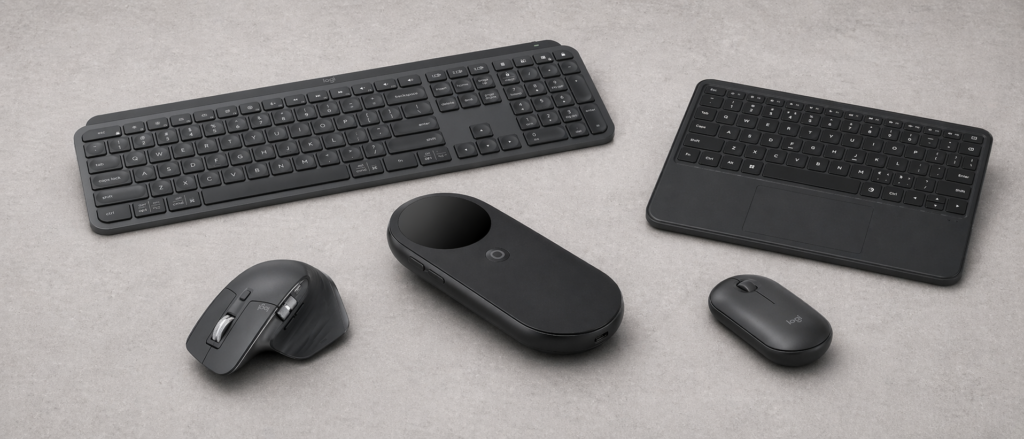
Beyond gaming, the next obvious step is productivity. The INAIR Pod isn’t marketed as a full productivity device, but with the right accessories, it absolutely starts to move in that direction. Bluetooth foldable keyboards are a perfect match here. I’ve tested a few different generic options, and across the board, they’ve worked without issue. Pairing is quick, and once connected, typing feels natural.
What makes this interesting isn’t just that you can type; it’s how it changes the use case of the device. Suddenly, you’re not just consuming content. You’re writing emails, taking notes, or even working on documents while still benefiting from that large, immersive display in your XR glasses. It’s a small addition, but it shifts the INAIR Pod from being purely entertainment-focused into something that can handle real work when needed.
The Most Interesting Add-On: Mudra Link
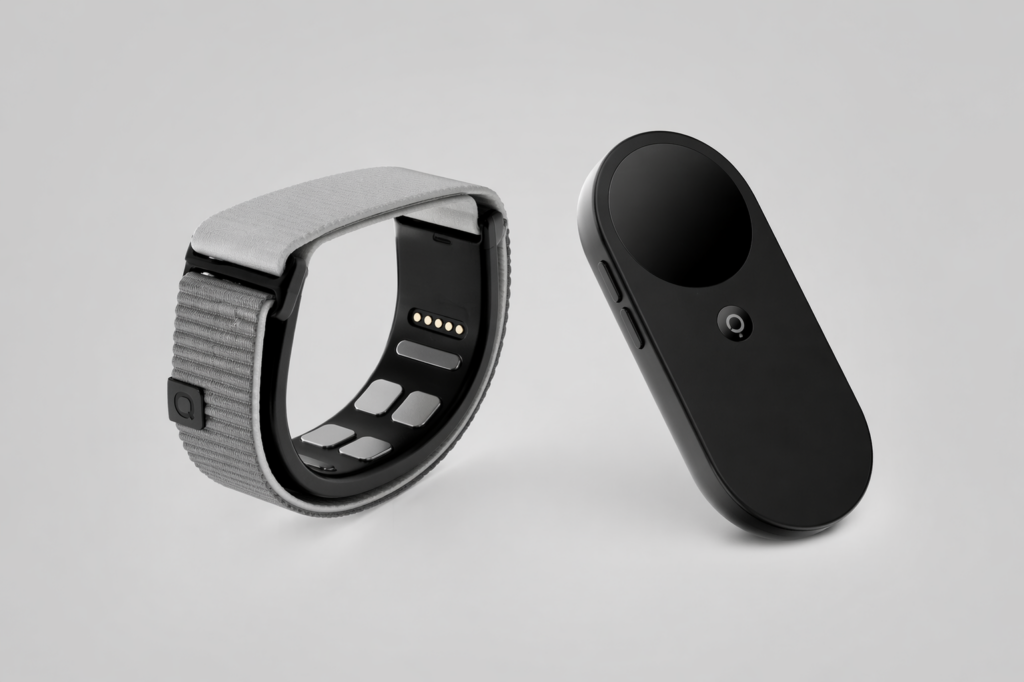
Where things start to get genuinely interesting is with the Mudra Link neural wristband.
This is one of those accessories that feels like it wasn’t necessarily designed specifically for the INAIR Pod but ends up pairing with it in a way that makes a lot of sense. After spending time with it, I can confidently say it’s one of the most compelling additions you can make. Using the Mudra Link alongside the INAIR Pod gives you something that feels very close to hand tracking, even though the device itself doesn’t natively support it. You’re able to control a cursor using subtle hand movements, and in practice, it creates a much more natural interaction model.
It’s not perfect. There are moments where the cursor can drift or feel slightly off, and you’ll occasionally lose it altogether. But what’s interesting is how well it integrates with the existing behavior of the INAIR Pod. Just like the Pod itself, a quick shake of your hand brings everything back to center. That consistency makes the experience feel intentional, even if it’s technically coming from a third-party solution. Over time, it starts to feel less like an add-on and more like an extension of the device. More than anything, it changes the feel of the INAIR Pod. Instead of relying entirely on traditional inputs, you’re interacting with your environment in a way that starts to resemble true spatial computing. It’s not fully there yet, but it’s close enough to give you a glimpse of where things are heading.
This is definitely something I’ll be covering in more detail on its own, because there’s a lot more to unpack with how it works and where it fits into the broader XR ecosystem.
Powering Longer Sessions
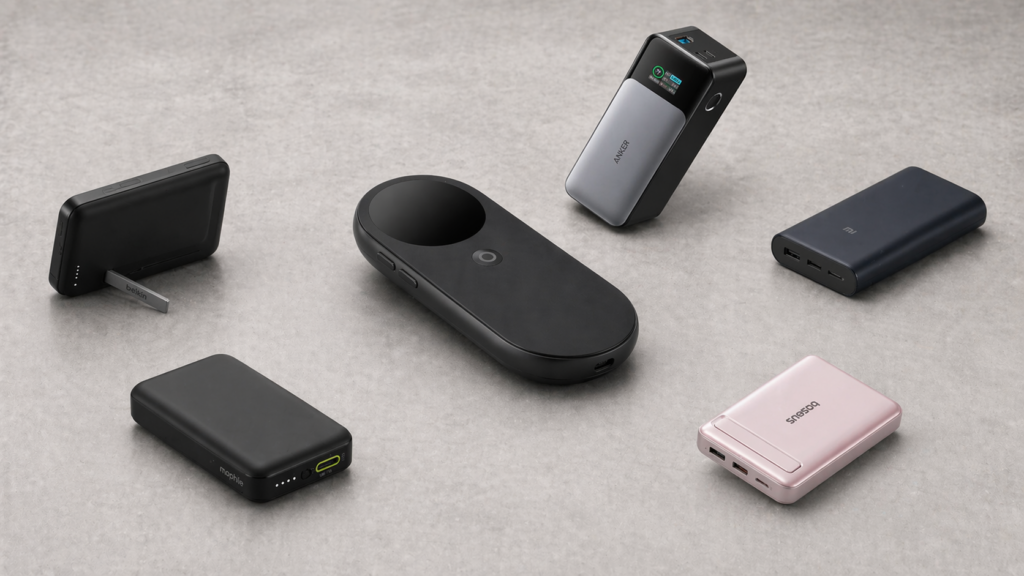
Another area where third-party accessories make a big impact is power.
The INAIR Pod is portable by design, but like most portable devices, you’re ultimately limited by battery life. If you’re planning to use it for extended sessions, whether that’s travel, gaming, or productivity, an external battery pack becomes almost essential. Adding one is straightforward, but there’s an important detail that’s easy to overlook. In order to use external power while also running your XR glasses, you’ll need an adapter that can route both power and display at the same time. Without that, you’ll end up choosing between keeping the device charged or actually using it.
Once you have the right setup, though, it completely changes how long you can stay in the experience. Instead of thinking about battery percentage, you can just use the device the way it was intended, without interruptions.
Going Big With Portable Displays
If you really want to push the INAIR Pod beyond its typical use case, pairing it with a portable projector or even a television opens up an entirely different kind of experience. At that point, you’re not just working within the XR display inside your glasses. You’re combining it with a large, physical screen in your environment. It creates this hybrid setup where you can have a massive visual output while still maintaining that layered, spatial interface. It’s one of those setups that feels a bit unconventional at first, but once you try it, it makes a lot of sense. You’re essentially turning any space into a flexible entertainment or presentation environment.
I’ve actually put together a full breakdown of how to connect the INAIR Pod to a projector or television, and once you see it in action, it clicks immediately. It’s one of the more unique ways to use the device, and it highlights just how adaptable it can be.
Final Thoughts
After spending more time exploring these combinations, it’s clear that the INAIR Pod isn’t just a standalone product. It’s a foundation. What all of this really comes down to is flexibility. On its own, it already delivers a solid experience. But when you start adding accessories to it, the Pod evolves into something far more dynamic. It becomes a device that can adapt to how you want to use it, rather than forcing you into a single workflow. That’s where it really stands out. And as more accessories continue to emerge. Especially ones that push toward more natural interaction, like the Mudra Link, and it will be interesting to see just how far this kind of setup can go.
For now, though, if you’re already using the INAIR Pod or thinking about picking one up, these are the kinds of additions that are worth looking at. They don’t just add features; they change the way the entire experience feels.

